Tasks · Status updates · Reminders
Know where every task stands.
onPoint keeps your team in tune without status meetings. Post a one-line update, follow progress on a timeline, and get reminded before deadlines slip. Your private to-dos stay private.
Free for teams of up to 5 · No card needed · Paid plan $2.00 per member
Private by design
Team admins can’t see your private tasks. Ever.
Status in one line
Status, progress and a note, in a single update.
Alerts that arrive
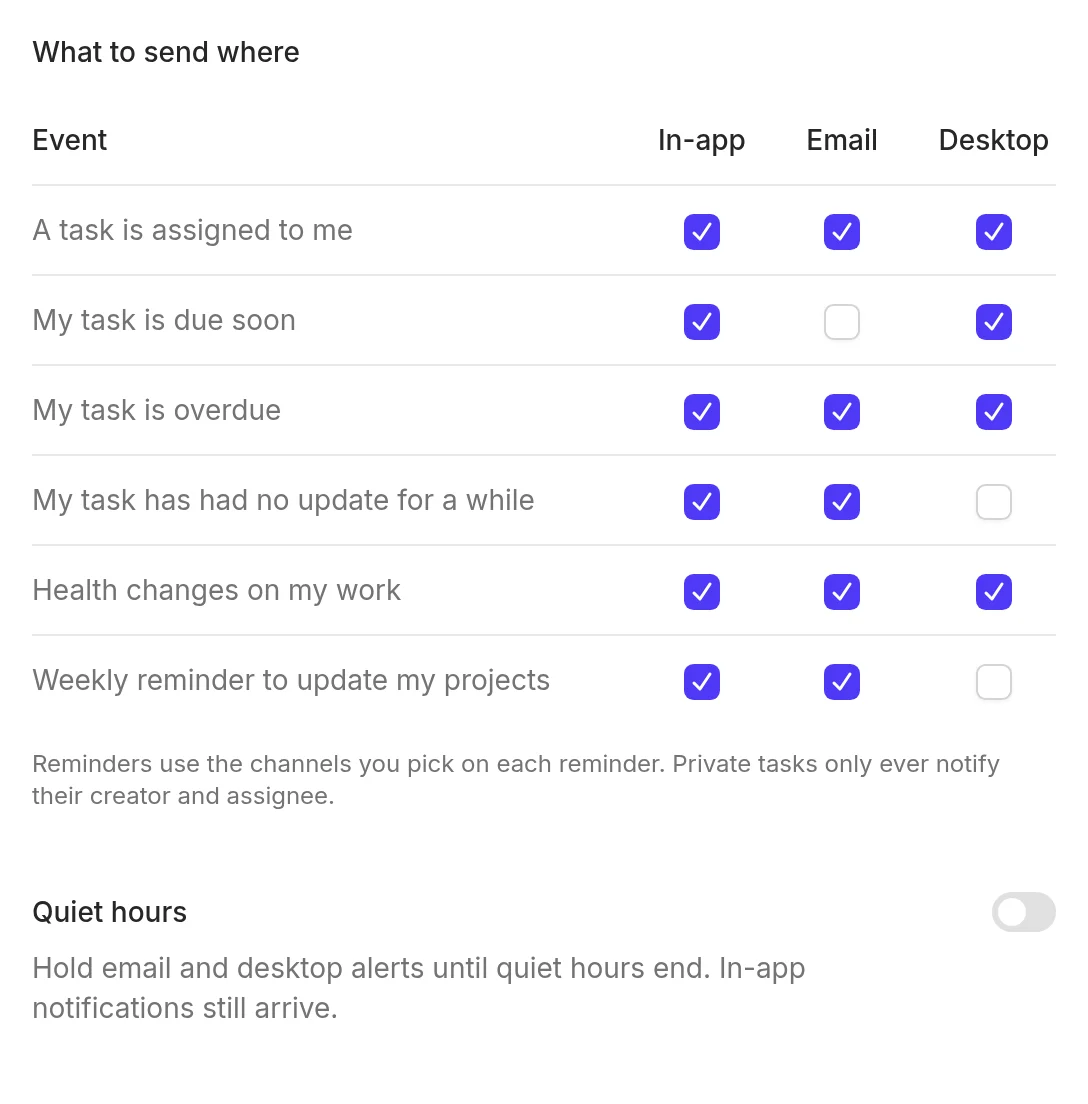
In the app, by email and on your desktop, with quiet hours.
$2.00 per member
Free for small teams. Guests are always free.
Sound familiar?
Most teams don’t lack effort. They lack a shared picture of where things stand.
Meetings to share status
An hour a week spent saying what a note could have said.
Chasing people for updates
“Any news on this?” in chat, email and the hallway.
Deadlines that surprise you
You find out something slipped the day it was due.
onPoint makes the state of every task visible, all the time, so the meeting becomes optional.
How it works
Three habits. No training needed.
-
1
Capture
Add a task in seconds: just for you, for your team, or inside a project. Keep it private until you’re ready to share.
-
2
Update in one line
Change the status, slide the progress, add a note. Each update lands on the task’s timeline for everyone who can see it.
-
3
Stay in tune
Health turns amber or red on its own when work slips. Reminders, a daily digest and live updates do the chasing for you.
Everything you need to stay on point
Simple enough for your own to-dos. Strong enough for the whole team.
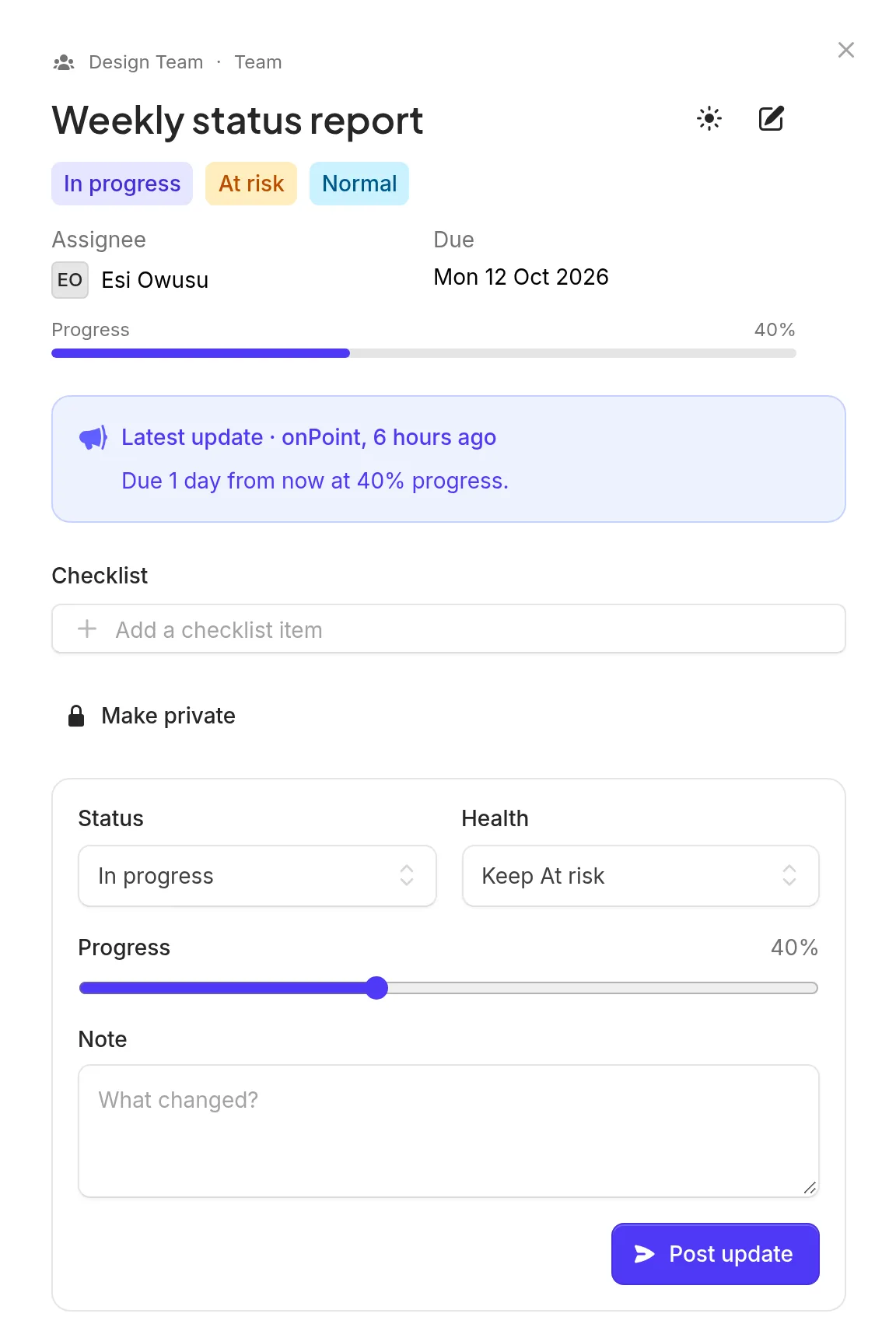
Status updates & timeline
Every task tells its own story
Updates are the comments: each one records the status, the progress and a short note on what changed. The latest update sits at the top, so anyone can catch up in seconds.
- Blocked work has to say why
- Checklists move the progress bar for you
- Fix a typo for 15 minutes, then the record is locked
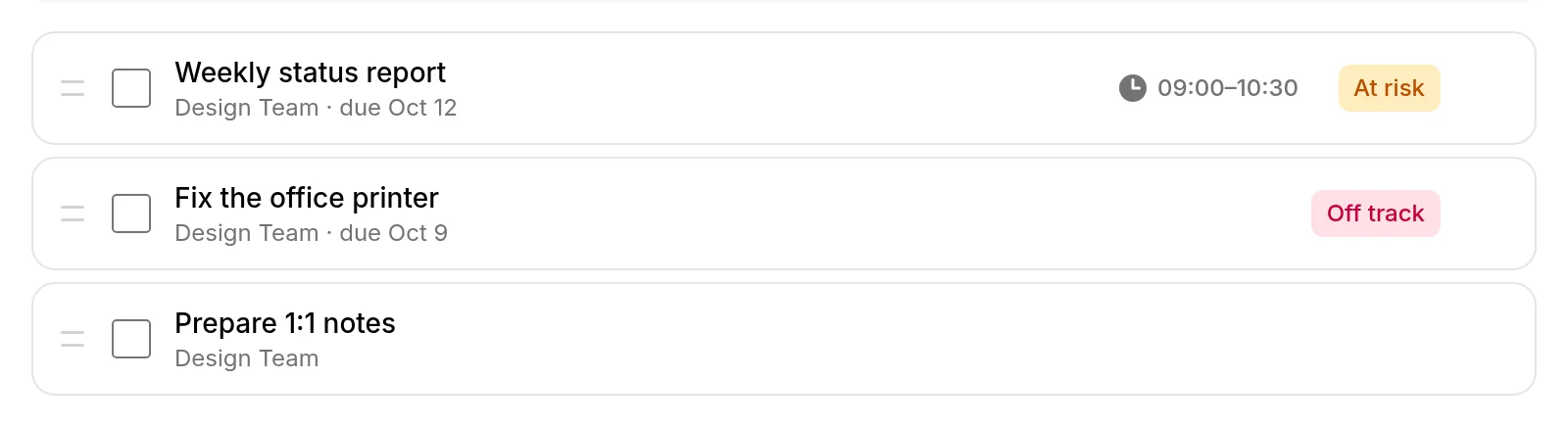
My Day
Plan your day, privately
Pull in anything you need to do today: personal, team or project tasks. Drag to reorder, add a time block, tick things off. Nobody else can see your plan.
- Suggestions for overdue, due-today and newly assigned work
- Unfinished items wait for you, and only come back if you choose
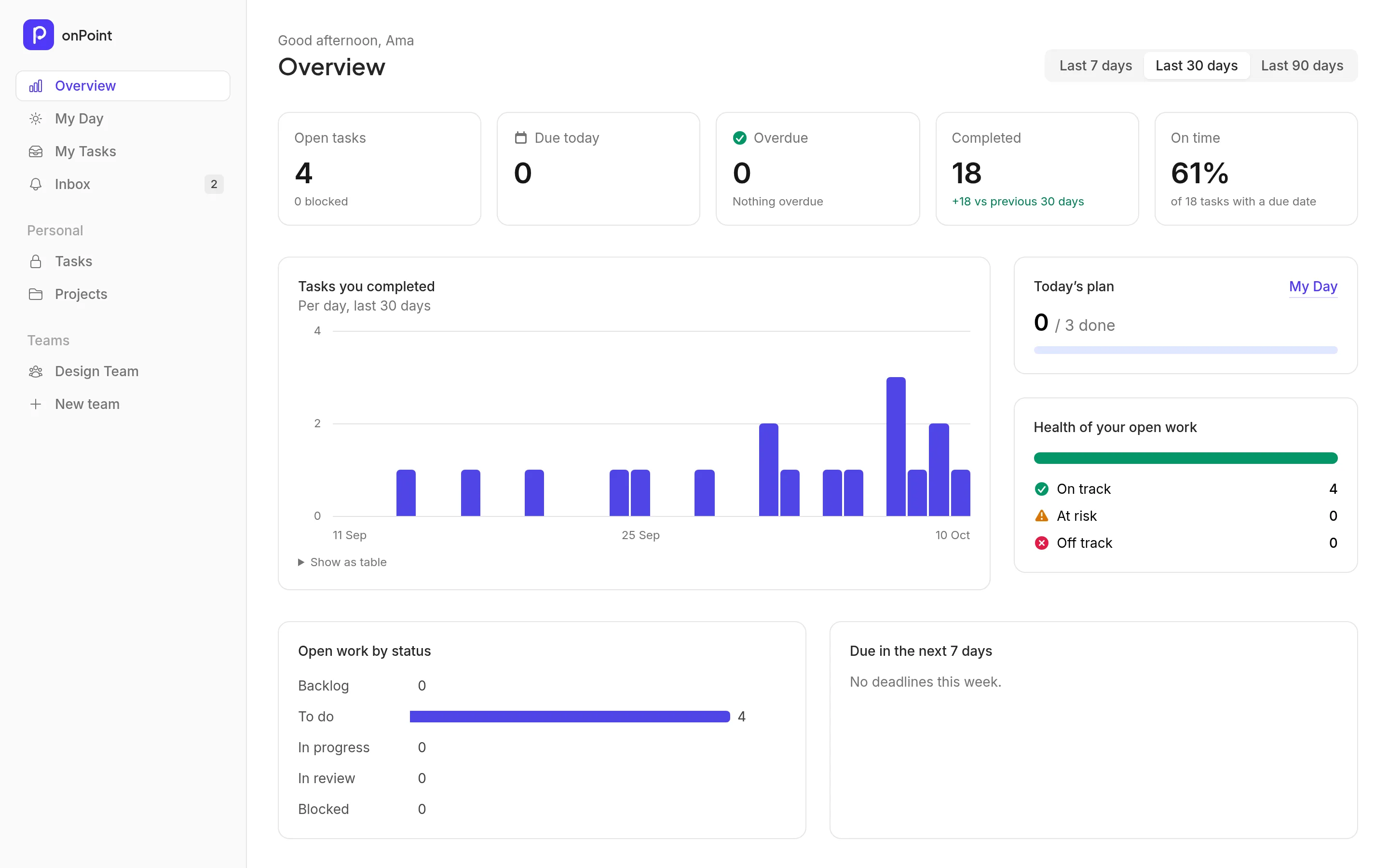
Automatic health
See trouble before it lands
Overdue, stuck or quiet work turns amber or red on its own, with the reason written on the timeline. Your Overview shows what’s open, what’s late and how your teams are doing.
- Each team sets its own thresholds
- Set health yourself when you know better; it holds until things get worse
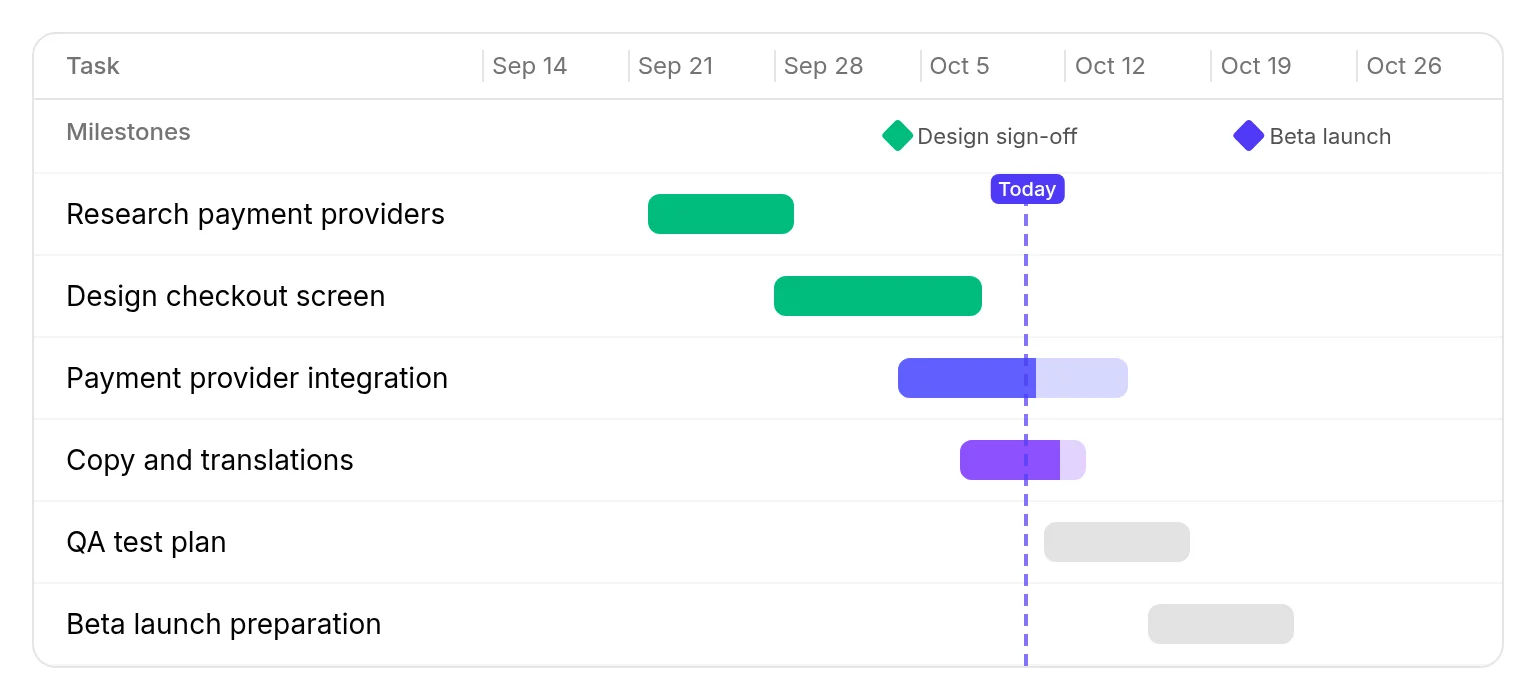
Projects & timeline
Plans you can actually see
Group tasks into projects with dates, members and milestones. The timeline shows every task to scale, with a line for today, so slipping work is obvious at a glance.
- Project updates with health and a progress snapshot
- A missed milestone flags the whole project
Reminders & notifications
Reminders on your terms
Remind yourself, or the person doing the work, at a set time or a day before the due date, once or every day until it’s done. Choose in-app, email or desktop for every kind of alert.
- Quiet hours hold email and desktop alerts until morning
- A short morning digest instead of a flood of emails
Teams & roles
Owners, admins, members and guests, each with the right access.
Pulse
A live feed of what changed across your team.
Live updates
Pages refresh on their own when teammates make changes.
Install it
Add onPoint to your home screen or dock like an app.
Free guests
Bring clients into one project, at no cost.
Secure sign-in
Two-factor authentication and passkeys built in.
One inbox
Assignments, reminders and health changes in one place.
Your data, yours
Export everything or delete your account anytime.
Built for the way your team works
Same app, different rhythms.
Keep clients informed without weekly status calls.
- Invite clients as free guests who only see their own project.
- Every task carries its latest update, so “where are we?” answers itself.
- Milestones on a timeline show what lands when.
Features you’ll use
Recurring work that never slips through the cracks.
- Team tasks live outside projects, so everyday work has a home too.
- Repeating reminders keep going until the job is done.
- Blocked work must say why, and turns amber if it stays stuck.
Features you’ll use
Ship on time and see risk before it becomes a fire.
- Health turns red on its own when work is overdue, blocked or quiet.
- Project updates record health and a note, with a snapshot of progress.
- Live updates mean nobody refreshes a stale board.
Features you’ll use
Coordinate volunteers and partners on a tight budget.
- Free for teams of up to five, and guests are always free.
- A morning digest tells everyone what matters today.
- Works in any modern browser and installs like an app.
Features you’ll use
One place for your own to-dos and your team’s work.
- Personal tasks and projects are private, even from team admins.
- My Day turns everything you’re juggling into a plan for today.
- Share a task with a team only when you’re ready.
Features you’ll use
Privacy
Private means private.
Keep your own to-dos in the same app as your team’s work, without anyone looking over your shoulder. Not your teammates, not your boss, not your team admins.
-
Only you and the assignee
A private task is visible to the person who created it and the person it’s assigned to. Nobody else.
-
Never counted, never shown
Private work never appears in team feeds, counts, digests, timelines or live updates.
-
You decide when to share
Only the creator can share a task with a team, and onPoint tells you exactly who will see it first.
-
Support only when you say so
Our support team can only look at your account if you allow it, read-only, for a time you choose, with private tasks hidden.
Simple, fair pricing
Start free. Pay per member only when your team grows. Guests are always free.
Free
$0 forever
- Up to 5 members per team
- 2 free guests
- 3 active projects
- My Day, status updates and timelines
- Automatic health and reminders
- Desktop and email notifications
Paid
$2.00 per member / month
- Unlimited members
- Unlimited free guests
- Unlimited projects
- Everything in Free
- Project timeline (Gantt)
- Team Pulse
Coming soon: Calendar view, Workload and insights, Project status reports, Email-to-task, Team audit log, Priority support, AI features
Start your free trialQuestions, answered
Is onPoint really free?
Yes. The Free plan covers teams of up to five members, two guests and three active projects, with no time limit and no card. Your personal space is always free. New teams also get a 14-day trial of the Paid plan.
What does “private means private” actually mean?
A private task is visible only to the person who created it and the person it’s assigned to. Team owners and admins can’t see it, and it never appears in team feeds, counts, digests or timelines. Only its creator can share it with a team.
Do guests and clients cost extra?
No. Guests are free on every plan. They only see the projects you add them to and can only update tasks assigned to them.
How do reminders and desktop notifications work?
Set a reminder for a set time or relative to the due date, once or repeating. onPoint sends it in the app, by email and as a desktop notification, whichever you choose. Quiet hours hold email and desktop alerts until the morning.
Can I use onPoint on my own?
Absolutely. Plan your day, keep private tasks and personal projects, and set reminders. When you start working with others, create a team in one click.
Can I get my data out, or delete my account?
Yes. You can request a full export of your data or delete your account at any time. Team work stays with your team; personal work is removed.
Is there a mobile app?
onPoint works in any modern mobile browser and can be installed to your home screen like an app, with desktop-style notifications where your device supports them.
Skip the next status meeting.
Set up your team in a minute. Free for up to five people, no card needed.